A brief example of how simple color corrections behave differently in linear floating point space than in display space.
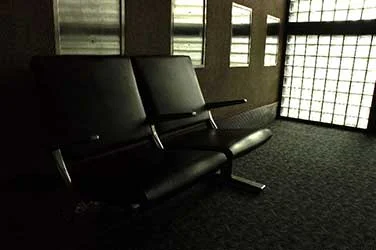
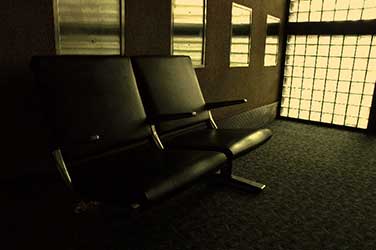
Image 1
A big reason we color correct with gamma when working in clipped color spaces is that we want to avoid flattening out white parts of the image. This is a valid concern.

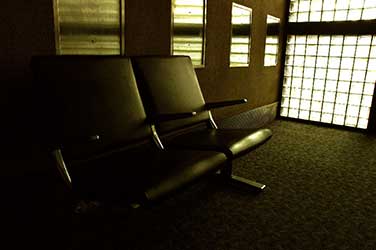
Image 2
This image is color corrected by multiplying the channels against constant RGB values. This is probably the simplest way to color correct an image, and here the results are quite poor. Subtly poor in how the tonal range is made inconsistent across light and shadow, but profoundly poor in the flattening out of the highlights.
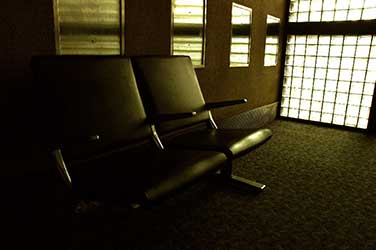
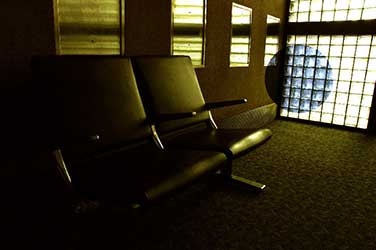
Image 3
This image shows roughly the same color correction, but using gamma. Because gamma correction does not affect white, the correction looks much more pleasing. There is also a pronounced contrast change in the image, which some may also consider pleasing, but some may wonder how they could avoid.
Images 2 and 3 were color corrected in video space, or the raw, uncorrected pixels that we both store and display.
The next two images are color corrected in eLin. They have been converted to a linear color space and the detail in the blown out window has been preserved.

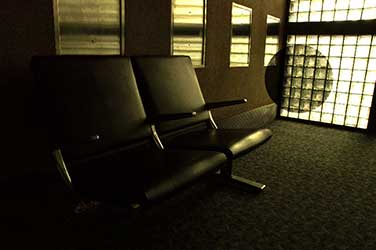
Image 4
Here is a similar gamma correction to the one used in image 3. As in image 3, white remains untouched. But two problems have arisen. Firstly, the linear color space reacts even more abruptly in the contrast and tonal range than the video space image did. The shadows get blocked up and the saturation and contrast changes quite a bit with our adjustment.
But more insidiously, note the darkening layer that I have placed over the window. As with image 3, white remains untouched by the gamma adjustments, But above white we have done a very surprising thing — we have inverted our desired tint.

In this graph of the gamma, or power, function, it's easy to see why. As the gamma curve bends the midtones up and down, it remains pinned at white and pivots there, causing the values above white to go in the opposite direction. So as we gammaed down blue and green, we were pushing values in those channels above 1.0 through the roof!
The scary thing here is that you might not see it at first, and you would go on about your business until you layered something over your windows, or darkened them with some other operation.

Image 5
Here we are back to our simple multiplying of the RGB channels, but now we are in linear space with overbrights. Note that we have tinted the image warm without blocking up the shadows, changing the saturation, or altering the contrast of the image. Note as well that the overbright areas react in a very lovely way to the CC.
It’s true that when you compare 5 to 3, you may find that some of the “downsides” of the gamma correction in vid space are visually pleasing. The enhanced contrast and variation across the tonal range look a bit sexier than the clean and flat tinting in linear space. But it's important to be able to color correct at a very simple level without getting all this extra artifacting, and this is very challenging in vid space. But in linear floating point, it's no problem at all to add contrast in after a color correction.
The other caveat is that we started with an image that had overbrights (an EXR file). Had we not had this extra information in the windows, image 5 would have the same clipped look as image 2.
It's not that you can't ever use gamma correction in linear floating point — you just have to be careful. I've found that in linear space, gamma should be the last thing you adjust, not the first, and this is very different than most peoples' current experience in clipped vid space.
Comparotron2000™: